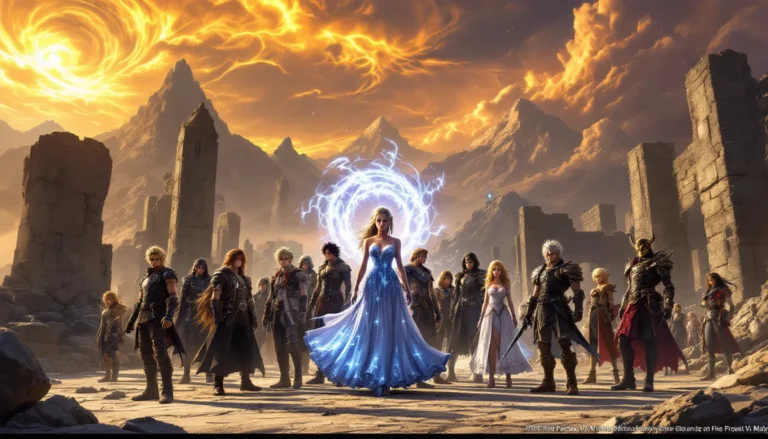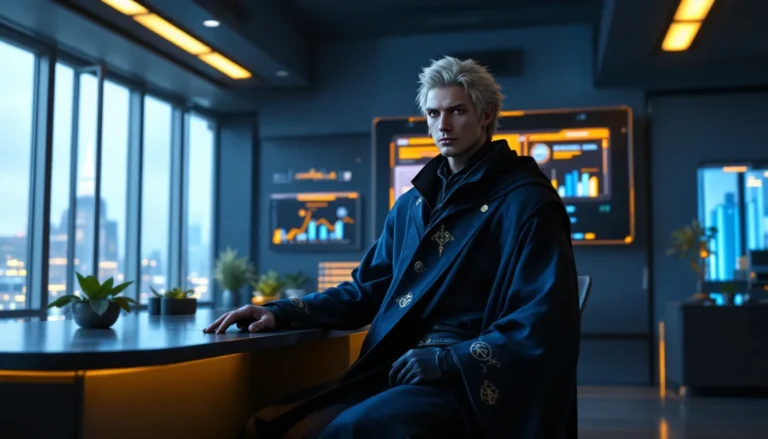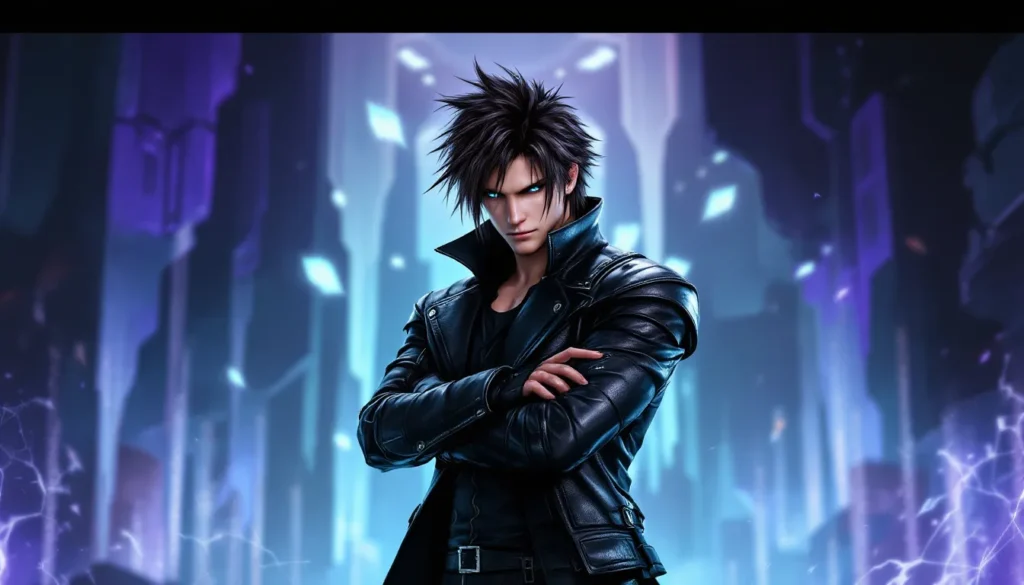
Final Fantasy 8 holds a special place in the hearts of gamers two decades after its original release. The game’s distinctive aesthetic, from Squall’s iconic leather jacket to the sweeping vistas of Balamb Garden, remains visually captivating even by modern standards. Whether you’re a veteran who spent hundreds of hours perfecting your Guardian Force strategy or a newcomer discovering the game for the first time, finding the right Final Fantasy 8 wallpaper can bring that nostalgic magic directly to your desktop. In this guide, we’ll walk you through where to find high-quality wallpapers, how to customize them for your setup, and why these designs continue to resonate with the gaming community in 2026.
Table of Contents
ToggleKey Takeaways
- Find high-quality Final Fantasy 8 wallpapers on dedicated platforms like Wallhaven and DeviantArt, which offer advanced filtering by resolution and aspect ratio for seamless desktop compatibility.
- Match your wallpaper resolution exactly to your monitor’s native display (1920×1080, 1440p, 4K, or ultrawide) to avoid pixelation and maintain visual quality.
- Customize Final Fantasy 8 wallpapers using free tools like GIMP or Canva to adjust colors, add text overlays, or combine multiple images for a personalized touch.
- Popular Final Fantasy 8 wallpaper themes include Squall action poses, Guardian Force summons like Ifrit and Eden, and iconic locations such as Balamb Garden and Esthar City.
- Set up automatic wallpaper rotation in Windows or macOS to keep your desktop fresh with different FF8 designs daily or on your preferred schedule.
- Explore fan-created reimagined designs on ArtStation and Twitter/X that modernize Final Fantasy 8 characters and aesthetics, offering contemporary interpretations of the classic game.
Why Final Fantasy 8 Wallpapers Still Captivate Gamers
Final Fantasy 8 launched on PlayStation in 1999, and its visual design was revolutionary for its time. The game pushed technical limits with pre-rendered backgrounds and detailed character models that still hold up remarkably well. More importantly, FF8’s aesthetic established a unique identity separate from other entries in the series, the military academy setting, the sophisticated character designs, and the intricate magic system all translated into visually striking artwork.
Wallpapers draw directly from these strengths. A Squall wallpaper isn’t just a picture of the protagonist: it’s a representation of the game’s entire vibe: cool, mysterious, and confidently crafted. Guardian Force summons like Ifrit and Eden provide dramatic imagery packed with detail and movement, even in still form. The game’s locations, Balamb Garden, Esthar City, the Ragnarok airship, offer sweeping landscapes that look stunning at any resolution.
The fandom has remained active for years, meaning there’s an endless stream of fan art, official artwork, and remastered designs being created. Gamers appreciate wallpapers that capture specific moments: Squall and Rinoa’s iconic scenes, the tense card game animations, or the haunting beauty of the final dungeon. Unlike wallpapers from many other games, FF8 designs feel timeless rather than dated, even when they leverage the game’s original low-polygon aesthetic.
Best Places to Find High-Quality Final Fantasy 8 Wallpapers
Finding a solid wallpaper collection takes knowing where to look. Not every site offers the same quality, resolution options, or design variety. The following sources are reliable, legal, and actively maintained by communities that care about image fidelity.
Official Gaming Communities and Forums
Reddit’s r/FinalFantasy and dedicated FF8 communities are goldmines for wallpapers. Users regularly share personal collections, often linking to artist pages and providing high-res downloads. The advantage here is direct feedback, you can ask about resolution, source, and artist credit all in one thread. Discord servers focused on Final Fantasy are equally active, with dedicated wallpaper channels where members curate and share their finds.
The official Square Enix forums occasionally feature curated artwork from the community. While not always wallpaper-specific, they maintain galleries of fan submissions that can be resized for desktop use. Participation in these spaces also keeps you informed about upcoming remasters or re-releases that might spawn new wallpaper designs.
Dedicated Wallpaper Websites and Image Galleries
Wallhaven and DeviantArt are the two heavyweights here. Wallhaven specializes in pre-sorted, tag-organized collections with advanced filtering by resolution, aspect ratio, and color. You can search “Final Fantasy 8” and instantly see hundreds of options ranging from 1920×1080 to 3440×1440 ultrawide formats. The community ratings help identify which designs are genuinely polished versus hastily uploaded.
DeviantArt functions differently, it’s artist-focused, meaning you discover both official art and original creations by talented community members. The platform allows artists to specify licensing, so you know exactly what you can use and how. Many FF8 artists maintain active DeviantArt pages where they post new work regularly. Filtering by “wallpaper” and “Final Fantasy 8” narrows your search, but browsing individual artist portfolios often yields better results than generic searches.
ArtStation hosts professional and semi-professional artwork from game industry artists. Quality here is consistently high, though you’ll find fewer pure wallpapers and more concept art or standalone illustrations. Still worth checking if you want designs with exceptional polish and artistic direction.
Fan Art Platforms and Creative Communities
Pixiv is essential if you can navigate Japanese site conventions. It’s Japan’s largest art community, and Japanese FF8 fans are prolific. Searching for “ファイナルファンタジー8” (Final Fantasy 8) or “FF8” yields thousands of wallpaper options, often with multiple resolution exports. The site uses a bookmark and like system, so trending artworks bubble to the top.
Tumblr, while older, remains surprisingly active for FF8 content. Tagging systems like #FF8wallpaper and #FinalFantasy8 pull recent submissions, and reblogging culture means popular designs circulate regularly. Many independent artists maintain Tumblr pages as secondary galleries.
Twitter/X deserves mention because artists announce new work here constantly. Following FF8 artist accounts and using the search “Final Fantasy 8 wallpaper” or “FF8 art” reveals fresh designs daily. The character limit means artists link directly to their portfolios, providing quick access to high-res versions.
Top Final Fantasy 8 Wallpaper Themes and Characters
Not all wallpapers appeal to all gamers. Preferences depend on which moments, characters, or aesthetics resonated most during your playthrough. Here’s a breakdown of popular themes and why they work.
Squall Leonhart Spotlight Wallpapers
Squall dominates the FF8 wallpaper landscape, and rightfully so, he’s the face of the game. Popular Squall designs typically fall into three categories:
- Gunblade Action Poses: Squall mid-combat with his iconic Gunblade glowing. These designs leverage action and intensity: the weapon’s gun-blade hybrid nature creates natural visual interest. Artists often render his trademark scar and leather jacket in high detail.
- Contemplative Portraits: Squall standing alone, often with Balamb Garden or a sunset background. These focus on his stoic expression and mysterious character. Popular with players who connected to his internal struggle and personality development.
- Squall x Rinoa Duets: Romantic or action-paired artwork featuring both characters. These resonate with fans invested in their relationship arc and provide visual balance compared to solo character wallpapers.
Squall wallpapers range from official Square Enix renders to completely original interpretations. Modern fan designs often merge the original low-poly aesthetic with updated shading and lighting, bridging nostalgia with contemporary art techniques.
Iconic Summons and GF Battles
Guardian Force summons are visual spectacles, and wallpapers capitalize on their dramatic nature. Ifrit’s fiery form, Leviathan’s tidal waves, and Eden’s sci-fi design each have devoted fan bases. These wallpapers work because summons are inherently dynamic, even static artwork conveys motion and power.
Leonhart (Squall’s Lion GF) appears frequently in minimalist designs, often paired with magical auras or celestial elements. Griever, the mysterious GF summoned late-game, generates popularity because of its enigmatic connection to Squall and its distinctive demonic lion design. Fans love wallpapers that hint at the lore without spelling it out.
Battle-focused wallpapers showing Guardian Forces mid-summon (with Squall calling them out) create dynamic compositions. The best ones capture the game’s unique summon animation style, that fusion of sci-fi and fantasy that defined FF8’s visual identity.
Balamb Garden and In-Game Locations
Architectural and environmental wallpapers appeal to players who loved exploration. Balamb Garden, the floating academy, appears constantly because it’s iconic, visually distinct, and immediately recognizable. Wallpapers showing the garden from various angles, approaching it in the distance, soaring above it, or interior corridor perspectives, all perform well.
Esthar City provides futuristic contrast with gleaming spires and advanced technology. These wallpapers are popular with players who appreciated the game’s sci-fi elements and the later story revelations. Equally compelling are Ragnarok (the airship) wallpapers, especially those showing the vessel in space or docked at dramatic locations.
Nature-based locations like the Dollet coastal area or the forests surrounding Balamb also have dedicated fan designs. These tend toward serene, atmospheric wallpapers, perfect if you prefer something less character-focused on your desktop.
Alternative and Fan-Created Designs
Beyond official artwork and direct game imagery, creative fan designs flourish. Examples include:
- Minimalist Designs: Simple line art of Squall’s profile, the FF8 logo, or iconic symbols (the Griever emblem, GF drawings).
- Cyberpunk Reinterpretations: Modern digital art that reimagines FF8 characters in neon-heavy, synthwave aesthetics.
- Crossover Art: FF8 characters integrated with other media or game franchises (less formal but entertaining).
- Oil Painting and Traditional Media: Scanned artwork created with traditional materials, offering unique texture and warmth.
These fan creations often appear on platforms like DeviantArt and Pixiv first, then spread through social media. They’re valuable because they prove the game’s design flexibility, FF8’s visual language works across multiple artistic styles.
Resolution and Compatibility Guide
Choosing the wrong resolution ruins even the best wallpaper. A low-res image stretched across a 4K monitor looks blurry and unprofessional. Similarly, an ultra-high-res wallpaper on a 1080p display is overkill and wastes storage space. Here’s how to match resolution to your setup.
Choosing the Right Resolution for Your Display
Common modern display resolutions and their optimal wallpaper sizes:
- 1920×1080 (1080p / Full HD): Still the standard. Most wallpaper sites offer this size by default. Suitable for 21-24″ monitors.
- 2560×1440 (1440p / QHD): Popular for gaming monitors (27″). Provides noticeable clarity improvement over 1080p without excessive file sizes.
- 3840×2160 (4K / UHD): Increasingly common for high-end displays and content creators. Files are large, but image quality is exceptional. Requires intentional searching, as not all sites host 4K wallpapers.
- 3440×1440 (Ultrawide): Growing segment for immersive gaming setups. Fewer wallpapers exist in this ratio, but dedicated wallpaper sites allow filtering by aspect ratio.
- 5120×1440 (Super Ultrawide): Niche but growing. Expect limited availability.
Determine your monitor’s native resolution by checking your display settings (right-click desktop on Windows, System Preferences on Mac). Never scale a wallpaper to larger dimensions than your monitor supports, it will pixelate.
If you can’t find a wallpaper in your exact resolution, here’s the hierarchy:
- Exact match: Best possible quality.
- Slightly larger than native: Downscaling loses minimal detail.
- Slightly smaller than native: Windows/Mac will tile or stretch, acceptable only if the image is high-quality art (less noticeable on stylized designs than photographs).
- Avoid anything significantly smaller: Results in visible pixelation.
Optimizing Wallpapers for Multiple Monitors
If you run dual or triple monitors, configuration matters. Windows and Mac handle multiple displays differently.
For Dual Monitors (example: two 1920×1080 displays side-by-side):
You have two options:
- Separate Wallpapers: Set different wallpapers on each monitor. Windows allows per-monitor configuration in Settings > Personalization > Background. Mac via System Preferences > Desktops & Dock. This is the most flexible approach, use different FF8 characters or locations on each display.
- Spanned Wallpaper: Use a single image stretched across both monitors (3840×1080 total resolution). This works beautifully for panoramic FF8 artwork. Sites like Wallhaven allow filtering by custom aspect ratios, making this easier.
For Ultrawide (single 3440×1440 or 5120×1440):
These monitors handle wallpapers like any single display, just match the resolution. Ultrawide wallpapers tend toward panoramic landscapes (Balamb Garden vista, Esthar skyline, space scenes). The extended horizontal canvas suits FF8’s sweeping environments perfectly.
For Nvidia Surround or AMD Eyefinity (gaming rigs with three or more monitors):
Calculate combined resolution. Three 1920×1080 monitors arranged in a grid = 5760×1080 total. Specialized wallpaper sites let you upload and process images for these setups. Alternatively, check your GPU driver’s wallpaper settings, Nvidia and AMD provide proprietary tools for multi-monitor wallpaper management.
File Format Considerations:
Wallpapers should be .jpg, .png, or .bmp. JPG offers good compression (smaller file size, minimal quality loss). PNG preserves higher quality but increases file size. Windows defaults to JPEG for best performance: use PNG only if the wallpaper contains transparency or you specifically need lossless quality. Avoid animated .gif or .mp4 formats unless your OS explicitly supports video wallpapers (Windows 11 and some Mac versions do).
How to Install and Set Final Fantasy 8 Wallpapers
Once you’ve downloaded a wallpaper, installation is straightforward but varies slightly by operating system. Here’s the process for major platforms.
Windows Setup Instructions
Standard Method (Easiest):
- Download the wallpaper file to your computer (typically your Downloads folder).
- Right-click the image file and select “Set as desktop background.” Windows immediately applies it.
- The wallpaper appears behind all open windows.
If the right-click option doesn’t appear, try this alternative:
- Right-click an empty area of your desktop.
- Select “Personalize.”
- In Settings, click “Background” (left sidebar).
- Under “Personalize your background,” select “Picture.”
- Click “Browse” and navigate to your downloaded wallpaper.
- Select the image: Windows applies it automatically.
Advanced: Managing Multiple Wallpapers and Rotation
Windows supports rotating wallpapers automatically. To set this up:
- Create a folder on your computer with all your FF8 wallpapers (example: C:UsersYourNamePicturesFF8Wallpapers).
- Open Settings > Personalization > Background.
- Select “Picture” and click “Browse.” Point to your FF8 folder.
- Enable “Change picture every:” and set your preferred interval (15 minutes, hourly, daily, etc.).
- Choose “Shuffle” to randomize the order or let it cycle sequentially.
This keeps your desktop fresh without manual intervention.
Dual Monitor Configuration:
Windows 10 and 11 allow different wallpapers per monitor:
- Create wallpapers in resolutions matching each monitor (e.g., 1920×1080 for Monitor 1, 1440×1080 for Monitor 2).
- Right-click the first wallpaper and set it as background.
- Windows assigns it to your primary display.
- Right-click a second wallpaper and set it. Windows assigns it to the next display.
- Repeat for additional monitors.
Mac and Linux Configuration
Mac (macOS 10.x and newer):
- Download your wallpaper to any location (typically Downloads).
- Open System Preferences > Desktop & Screen Saver.
- Click the Desktop tab.
- In the left sidebar, select Folders and navigate to where you saved your wallpaper (or drag the folder directly into the sidebar).
- Click your FF8 wallpaper image: macOS applies it instantly.
- To rotate wallpapers, check “Change picture” and select your preferred interval from the dropdown.
For Dual Displays on Mac:
Each monitor has independent background settings:
- Click the wallpaper image to select it.
- Hold Ctrl and click to reveal desktop options.
- Select which display to apply the wallpaper to (macOS asks automatically if you have multiple monitors).
- Repeat for the second display.
Linux (Varies by Desktop Environment):
Linux distribution and desktop manager determine the exact process. Here are the most common:
GNOME Desktop (Ubuntu, Fedora):
- Download the wallpaper.
- Open Settings > Appearance.
- Click the Background option.
- Click the + button to add an image, or drag the wallpaper into the window.
- Select your FF8 wallpaper: GNOME applies it.
KDE Plasma (Kubuntu, Fedora KDE):
- Right-click an empty area of your desktop.
- Select Configure Desktop (or Desktop Properties depending on version).
- Navigate to Wallpaper in the left sidebar.
- Click Open File and browse to your wallpaper.
- Click Open: KDE applies the wallpaper.
XFCE (Linux Mint, Xubuntu):
- Right-click the desktop.
- Select Desktop Properties or Properties.
- Go to the Background tab.
- Click the folder icon and navigate to your wallpaper.
- Click OK to apply.
Most Linux distributions support wallpaper rotation through similar Settings menus. Look for “Change wallpaper periodically” or “Shuffle” options within your desktop environment’s settings.
Customizing and Creating Your Own Final Fantasy 8 Wallpapers
The ultimate personalization involves editing existing wallpapers or creating originals. You don’t need professional-grade skills, basic editing techniques yield impressive results.
Tools and Software for Editing Existing Wallpapers
Free, Beginner-Friendly Options:
GIMP (GNU Image Manipulation Program): Open-source and powerful. Comparable to Photoshop but free. Use GIMP to:
- Adjust colors, brightness, and contrast on existing FF8 wallpapers
- Add text overlays (character names, quotes, your gaming handle)
- Crop and resize wallpapers to match your resolution exactly
- Apply filters (blur, sharpening, artistic effects)
- Layer multiple images (combine Squall artwork with a background)
GIMP runs on Windows, Mac, and Linux. Download from gimp.org.
Photopea: Browser-based Photoshop alternative. No installation required: works on any device. Supports PSD files and offers similar editing tools to GIMP. Upload your wallpaper, make adjustments, download the result. Perfect for quick tweaks without commitment to learning new software.
Canva: Drag-and-drop design tool. Limited compared to GIMP but excellent for adding text, gradients, or overlaying multiple images. Great if you want to combine character art with a solid background or add subtle textures. Free tier covers most wallpaper needs.
Paid Professional Tools:
Adobe Photoshop: Industry standard. Offers advanced layer management, intelligent content-aware fill, and professional-grade color correction. Subscription required: overkill for casual wallpaper editing unless you’re already invested in Adobe software.
Affinity Photo: One-time purchase (~$70) alternative to Photoshop. Comparable feature set, no subscription. Steeper learning curve than GIMP but more intuitive than Photoshop for newcomers.
Practical Editing Workflow:
- Download a base wallpaper matching your resolution.
- Open in GIMP (or your chosen editor).
- Adjust colors: Use Filters > Colors > Hue-Saturation to enhance vibrancy. Increase saturation slightly to make FF8’s colors pop.
- Add contrast: Colors > Brightness-Contrast. A +10-20 adjustment enhances depth without oversaturation.
- Optional text overlay: Select the Text Tool, choose a font, and add your favorite FF8 quote or your gaming username. Position it in a corner to avoid obscuring the main image.
- Sharpen (if needed): Filters > Enhance > Sharpen. One pass is usually enough: multiple passes introduce noise.
- Export: File > Export As. Save as .jpg (high quality) or .png if transparency matters.
- Set as wallpaper using your OS method from the previous section.
Tips for Amateur Digital Artists
If you’re creating wallpapers from scratch rather than editing existing ones, these principles apply:
Composition and Layout:
- Rule of Thirds: Divide your canvas into a 3×3 grid (most editors have this overlay). Place focal points (Squall’s face, a summon, key details) at grid intersections rather than dead-center. This creates natural visual balance.
- Depth Layering: Front (character or foreground detail), middle (secondary elements), back (landscape or abstract background). Three distinct layers prevent flatness.
- Negative Space: Don’t clutter every pixel. Empty space around your subject draws attention toward it. FF8’s atmospheric aesthetic benefits from breathing room.
Color Theory for FF8:
FF8’s visual palette favors:
- Cool tones (blues, purples, teals) for mysterious, atmospheric pieces
- Warm accents (oranges, golds) for summon artwork or action scenes
- Desaturated backgrounds paired with vibrant character details to establish hierarchy
- Metallic highlights on weapons (especially Squall’s Gunblade) for that polished, strategic feel
Avoid pure neon colors unless pursuing a synthwave aesthetic. FF8 works best with toned, sophisticated palettes.
Asset Creation:
- Sketch templates: Use Pixiv, Pinterest, or Google Images to find existing FF8 character sketches. Use these as reference (NOT as copy sources) to understand proportions and details.
- Photography + Digital Blending: Photograph landscapes, clouds, or textures. Import into your editor and blend with digital FF8 artwork using layer modes (Overlay, Multiply, Screen). This creates unique, photorealistic-meets-anime hybrids.
- AI Image Generation Tools: Platforms like Midjourney or Stable Diffusion can generate FF8-inspired backgrounds (“Final Fantasy 8 inspired, Balamb Garden aerial view”) which you then composite with official character art. Be transparent about AI assistance if you share your creation publicly.
Quality Checkpoints:
Before finalizing a wallpaper:
- Check at actual resolution: Display your 1920×1080 wallpaper on a 1920×1080 monitor. Compressed previews hide pixelation, artifacts, or blurriness.
- Adjust for monitor color accuracy: Different displays render colors differently. If possible, view on multiple devices.
- Test with your UI: Set it as your active wallpaper for a day. How does it look with your taskbar, icons, and apps open? Some wallpapers clash with UI elements, adjust brightness or colors if needed.
- Avoid over-processing: Heavy filters can introduce compression artifacts. Subtle adjustments typically look more professional than dramatic effects.
Creating your own FF8 wallpaper transforms it from a downloaded image into a personal artifact. Even simple edits, color grading, text additions, or combining two existing images, result in something uniquely yours. The learning curve is minimal, and the creative satisfaction is significant.
Final Fantasy 8 Remake Wallpapers and Modern Reimaginings
As of 2026, Final Fantasy 8 remains officially unremastered, unlike FF7 with its acclaimed Remake and Rebirth entries. But, the speculation around a potential FF8 remake is constant, and wallpaper artists are already creating “what if” designs that imagine modernized versions of the game.
Fan-Designed Remake Concepts:
Artists on DeviantArt and Artstation regularly produce “FF8 Remake Speculation” wallpapers. These imagine how characters would appear with modern graphics, Squall with photorealistic texturing, updated clothing design language, or anime-to-CGI translations. These designs offer valuable insight into how the community would want a remake handled. If an official remake is announced, these fan concepts often prove surprisingly prescient.
Wallpapers featuring modern Squall artwork tend toward darker, more grounded aesthetics compared to the original. Longer hair, different jacket materials, or alternative weapon designs appear frequently. GFs reimagined with current-generation environmental detail (Ifrit with volumetric fire, Leviathan with water physics simulation) perform well among fans interested in technical artistry.
Contemporary Artistic Styles Applied to FF8:
Beyond literal remake speculation, contemporary artists apply modern styles to FF8 content:
- Vaporwave/Synthwave: Neon grids, retro-futuristic color schemes, and ethereal atmospherics. FF8’s Esthar and sci-fi elements align perfectly with this aesthetic.
- Cyberpunk: Dystopian reinterpretations where Squall and the SeeD program fit into sprawling megacities rather than floating academies. Popular with audiences drawn to contemporary gaming’s cyberpunk trend.
- Soft Anime Revival: Modern anime coloring and shading applied to FF8 characters. Cleaner lines, simplified palettes, and contemporary proportions compared to the original artwork.
- Hyperrealism: Digital painters creating photorealistic Squall or summon creatures as if they existed in reality. Time-intensive but visually striking.
These reimagined wallpapers don’t replace FF8’s original aesthetic, they complement it. Gamers often collect both classic and reinterpreted versions, switching based on mood or gaming session.
Availability and Platforms:
Modern reimagining wallpapers are concentrated on:
- ArtStation: Professionals and serious hobbyists post high-concept work here.
- DeviantArt: Wider range, from quick sketches to polished pieces.
- Twitter/X: Artists announce new contemporary reinterpretations here, often linking to high-res versions.
- Subreddits: r/FinalFantasy occasionally features threads dedicated to “modern redesign” artwork.
If you follow FF8 artists directly (via Twitter/X followers, DeviantArt watches, or Pixiv bookmarks), you’ll catch new reimagined wallpapers quickly. Many artists ask for commission requests: if you want a personalized modern interpretation of your favorite FF8 moment, commissioning an artist is surprisingly affordable (typically $50-300+ depending on complexity and the artist’s experience level).
The existence of these fan reimaginings also proves that interest in FF8 remains genuine and creative. Unlike stagnant franchises, FF8 continues inspiring new artistic takes, speculation about potential remakes, and experimental reinterpretations. This creative energy naturally extends to wallpaper communities, ensuring fresh, high-quality designs continually emerge.
Conclusion
Final Fantasy 8 wallpapers represent far more than desktop decoration, they’re visual anchors to a beloved game that defined an era of gaming. Whether you’re drawn to Squall’s stoic presence, the grandeur of Balamb Garden, or the dramatic power of Guardian Force summons, finding the right wallpaper enhances your daily digital experience.
Start by exploring communities like Reddit’s r/FinalFantasy and platforms like Wallhaven to identify styles that resonate with you. Match your monitor’s resolution precisely to avoid pixelation. Use editing tools like GIMP to customize wallpapers with personal touches, text overlays, color adjustments, or multi-image compositions. If you’re feeling adventurous, create original artwork or commission artists to bring your FF8 vision to life.
The beauty of wallpapers lies in their accessibility. They cost nothing (or minimal amounts if commissioning), they’re legal to use when sourced properly, and they transform your workspace instantly. For gamers who spent 40+ hours exploring Squall’s journey, keeping FF8’s aesthetic present on your desktop is a small, meaningful way to stay connected to the experience long after credits roll.
Kept updated regularly with new designs from the active fan community, your FF8 wallpaper collection can remain fresh and inspiring indefinitely. Start downloading today, your desktop will thank you.